Order Management Template for SMBs
See how an order management template turns vendor orders into a web portal, reduces manual tracking, and connects order and inventory workflows.

If vendor orders still arrive through email, spreadsheets, or chat, use this template as a starting point and then check whether the workflow should move into a shared order portal. Assess your B2B order workflow →
Still Managing Customer Orders the Hard Way?
If you run a business in custom clothing, bespoke furniture, promotional items, print services, handcrafted snacks or any made-to-order field, you've probably experienced the headaches of managing customer orders.
Every customer wants something unique - a specific design, size, color, or material. As the number of orders increases, so does the complexity of managing all that information.
For businesses that handle multiple product options, such as size, color, or material, things get even trickier.
Updating Excel sheets whenever options change, creating personalized quotes for each customer, and keeping track of order statuses can quickly become overwhelming.
Relying on manual methods like spreadsheets often leads to problems:
Disorganized data: The more products and options you offer, the harder it is to maintain clean and accurate records.
Time-consuming inquiries: Customers asking for updates on their orders means you need to dig through files just to give a simple answer.
Mistakes and missed orders: With hundreds of orders to manage, errors like duplicates or missing entries become almost inevitable.
How Can StackCube Order Management Template Change Your Work Processes?
If you're struggling with messy order tracking, missed details, or time-consuming manual processes, it might be time to evaluate and improve the way you manage customer orders.
By adopting an automated system, you can reduce the hassle of manual work and handle more orders efficiently.
Modular operations platform StackCube
StackCube is a modular operations platform designed to simplify the setup of automated systems, enabling businesses to configure and deploy solutions without any programming knowledge.
With StackCube, you don’t need to be a developer to build a system that fits your business. Whether you need distributor management, inventory tracking, or BOM management, you can set it all up on one platform.
You will able to customize features, streamline processes, and make changes quickly—all without writing a single line of code.
For B2B businesses and custom-order industries, having a structured and accurate approach to managing customer orders is essential.
That’s where StackCube Order Management Template comes in. It's designed to simplify the challenges of managing personalized orders and help you work smarter, not harder.
Let’s take a closer look at how our template can boost your order management efficiency:
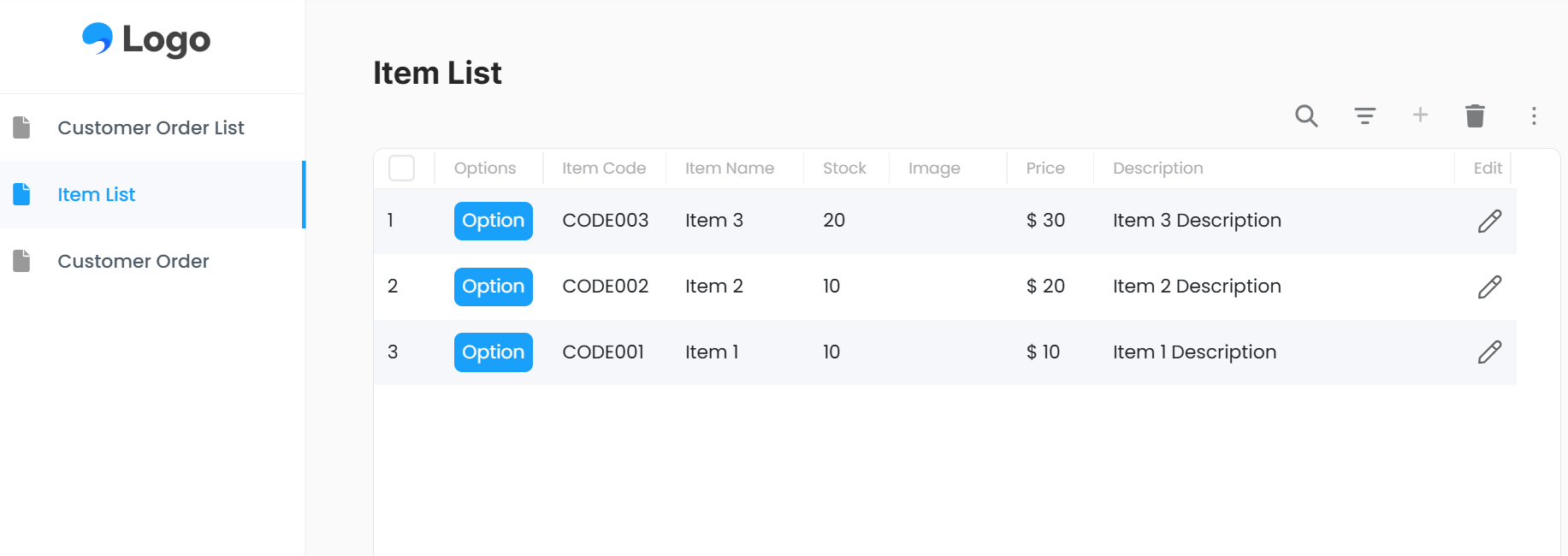
1. Unlimited Product Listings
💡 Got hundreds or even thousands of products? No problem!
With our template, you can:
Add as many products as you need without limitations.
Input item details like product codes, stocks, images, prices, and descriptions.
Bulk upload items using CSV files to save time.
Easily find products with filter and search functions.
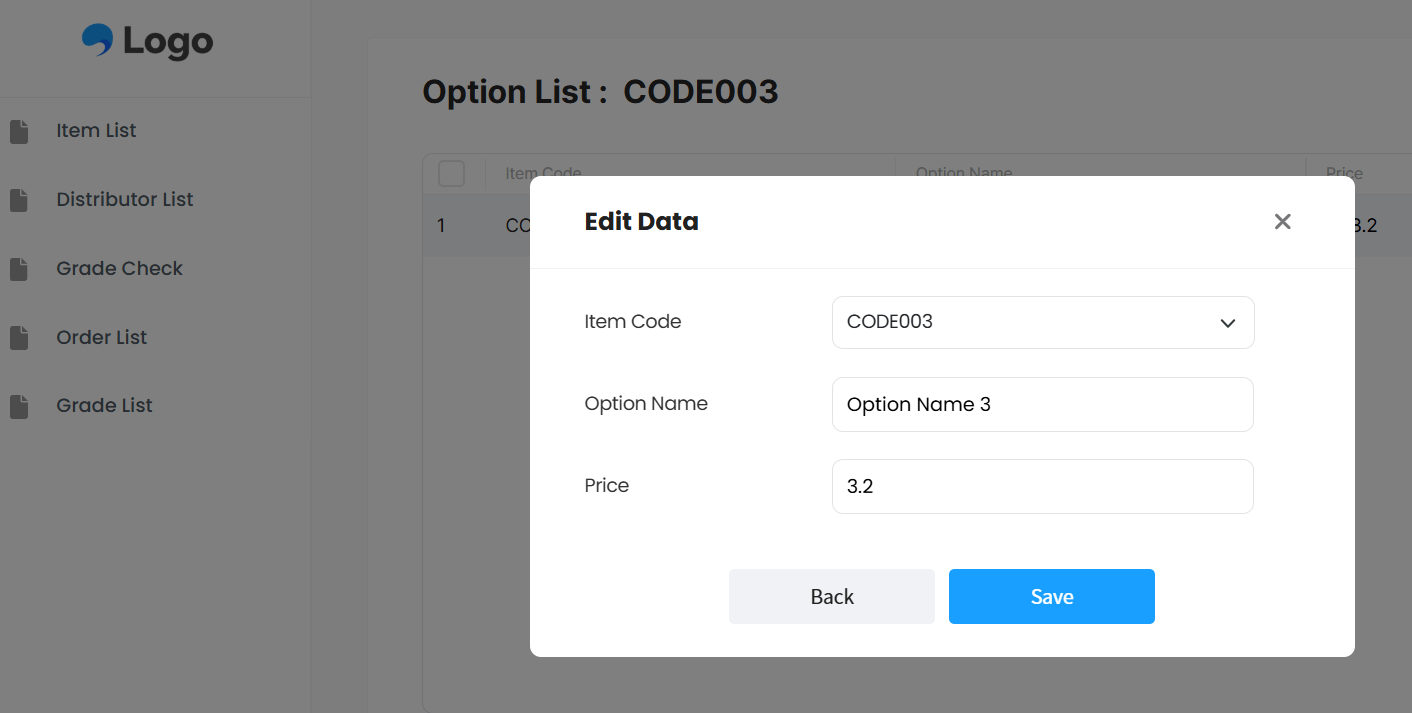
2. Easy Option Settings
💡 Selling products with various options, like sizes, colors, or materials?
We've got you covered.
Customize product options in just a few clicks.
Add new options as your offerings expand. No more endless Excel edits—this template adapts to your needs with ease.
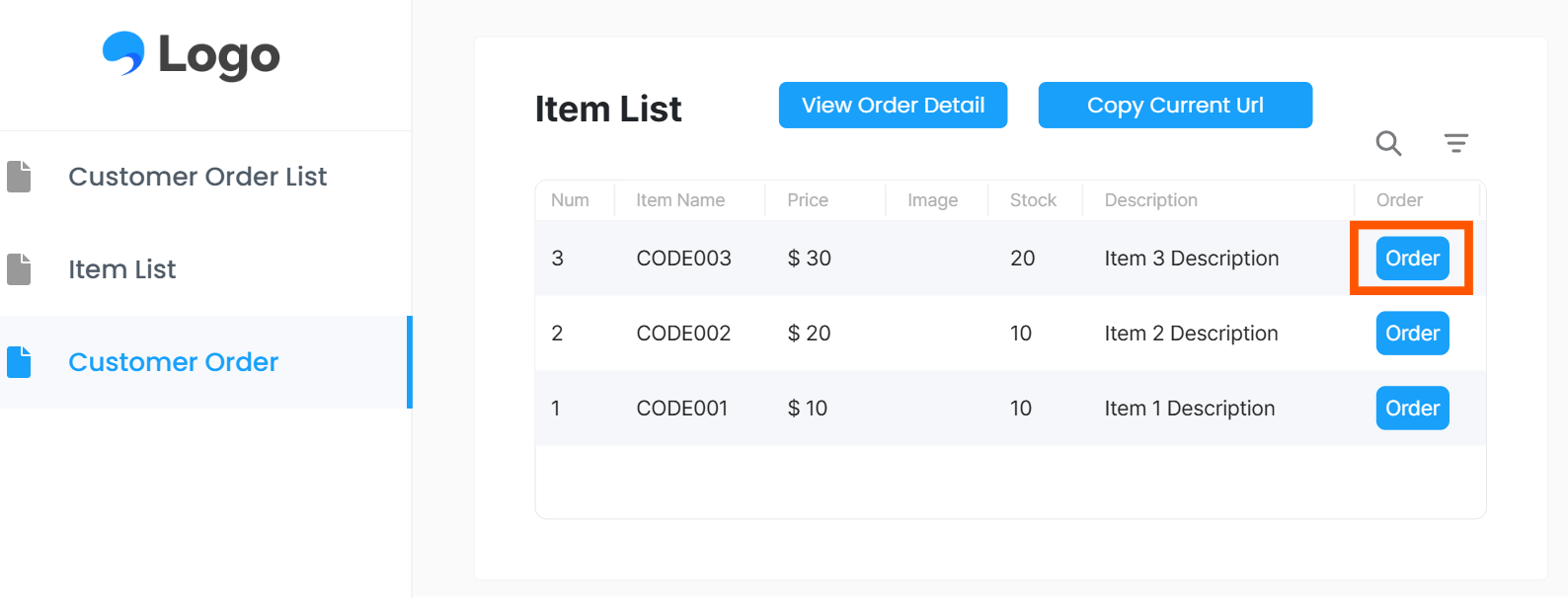
3. No Registration Required for Orders
💡 Make it easy for your customers to place orders!
Share a simple URL with your clients—no sign-ups needed.
Customers can browse your product list and order directly, hassle-free.
After placing an order, they can check their order status anytime using their name and a password.
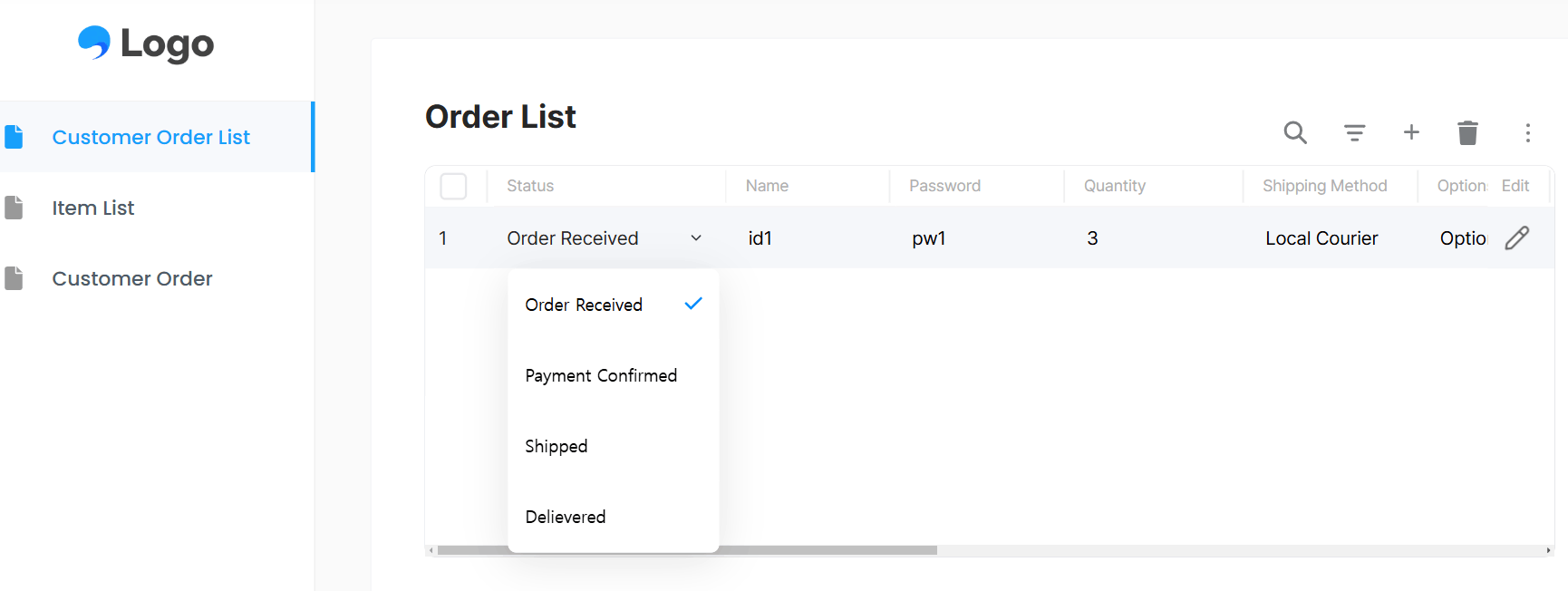
4. Order Tracking Made Easy
💡 Once an order is placed, it’s automatically updated in the system.
You’ll be able to:
View all customer orders at a glance.
Track the order status, from payment confirmation to delivery.
Use filters and search tools to quickly find specific orders.
Discover StackCube Order Management Template Today!

"Wait, managing orders can be this easy?”
Say goodbye to the chaos of managing orders manually. StackCube Order Management Template simplifies complex order processes and streamline your workflow with an automated system.
From listing products to processing orders, everything becomes effortless. You'll have a clear overview of the order list and status at a glance, saving you from tedious manual work. Free up your time and energy to focus on what really matters—growing your business and delighting your customers.