What Is a WMS? Warehouse Management Guide
Learn what a warehouse management system does, its core features, key types, and when a small business actually needs one.
As your business grows from a handful of orders to hundreds per week, managing inventory across one or more warehouses gets complicated fast. Items get misplaced. Picks take longer. Stock counts don't match reality. A Warehouse Management System (WMS) is designed to solve exactly these problems.
This guide covers what a WMS does, its core features, where it's used, and — importantly — when a small business actually needs one versus simpler alternatives.
What Is a WMS (Warehouse Management System)?
A WMS is software that manages and optimizes warehouse operations in real time — from receiving goods to storing, picking, packing, and shipping them. It tracks every item's location and quantity, automates workflows, and provides visibility into your entire warehouse operation.
WMS becomes essential when you're dealing with high SKU counts, multiple storage locations, or complex fulfillment workflows where manual tracking breaks down.
WMS Meaning and Warehouse Management System Functions
WMS means Warehouse Management System. In practical terms, it is the system that controls what happens inside the warehouse after inventory arrives and before an order ships.
| WMS function | What it controls | Why it matters |
|---|---|---|
| Receiving | Inbound goods, purchase order matching, inspection, and putaway | Prevents stock from entering the system incorrectly |
| Location control | Bins, shelves, zones, pallets, and storage rules | Helps workers find items quickly and reduce search time |
| Picking and packing | Pick lists, scan checks, packing tasks, and shipment preparation | Reduces fulfillment errors and late shipments |
| Inventory accuracy | Cycle counts, adjustments, stock movements, and exception handling | Keeps warehouse inventory aligned with system inventory |
| Shipping handoff | Carrier labels, order completion, and outbound status updates | Connects warehouse work to customer delivery status |
A warehouse inventory management system usually focuses on quantities and stock availability. A WMS goes deeper into warehouse execution: where each item is stored, how it moves, who picked it, and whether the order was packed correctly.
Core WMS Features
1. Inventory Tracking
A WMS tracks the exact location and quantity of every item in your warehouse in real time. This eliminates the "we thought we had it" problem — you always know what's in stock, where it is, and how fast it's moving. Accurate inventory data also supports better safety stock decisions.
2. Warehouse Operations Management
WMS monitors all warehouse activities and optimizes them based on real-time data. This includes designing efficient product movement routes, allocating labor and equipment, and reducing idle time between tasks.
3. Picking and Packing Optimization
Picking (selecting items for an order) and packing (preparing them for shipment) are the most labor-intensive warehouse tasks. A WMS optimizes pick paths — routing workers through the warehouse in the most efficient sequence — reducing walk time and minimizing errors.
4. Location Management
In large warehouses, knowing exactly which shelf, bin, or zone holds a specific item is critical. WMS assigns and tracks storage locations, manages dock and yard resources, and ensures items are placed where they can be retrieved fastest.
5. Data Collection and Analytics
A WMS captures data on every warehouse event — receiving, movement, picks, shipments — and turns it into actionable insights: order processing time, space utilization, labor productivity, and inventory accuracy rates.
Where WMS Is Used
| Industry | How WMS Helps |
|---|---|
| E-commerce | Handles high volumes of small, varied orders. Optimizes pick-and-pack to reduce shipping errors and speed up delivery. |
| Manufacturing | Manages raw material storage and production-line logistics. Ensures components are available when production needs them. |
| Retail / Distribution | Coordinates large product catalogs across distribution centers. Ensures stores receive the right products at the right time. |
| 3PL (Third-Party Logistics) | Manages inventory for multiple clients in shared warehouse space. Provides client-specific reporting and SLA compliance. |
Companies like Amazon operate some of the most sophisticated WMS implementations in the world — combining robotics, AI-driven pick optimization, and real-time inventory tracking across hundreds of fulfillment centers. At the other end of the spectrum, small 3PL providers use cloud-based WMS to manage client inventory without massive infrastructure investment.
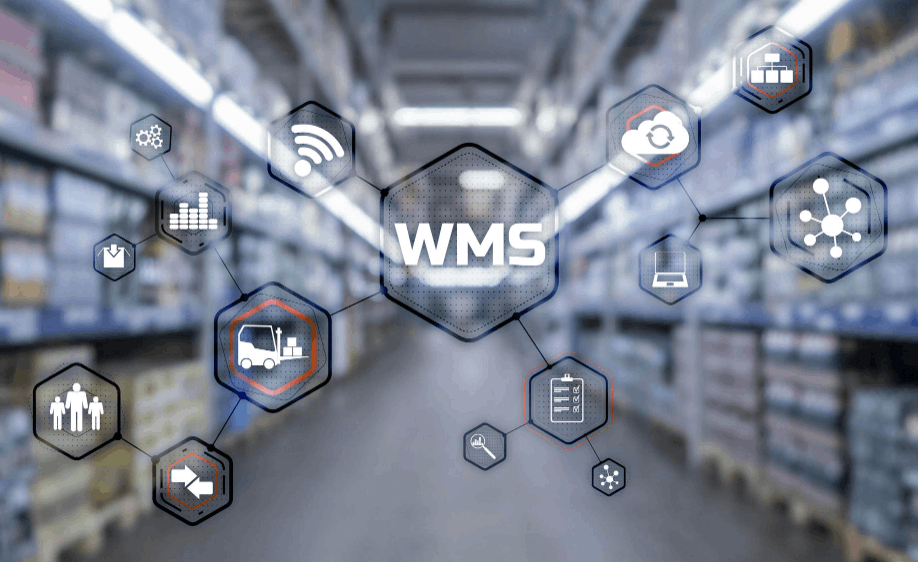
Types of WMS
| Type | Characteristics | Best For |
|---|---|---|
| On-Premise | Installed on your own servers. High control and security, but significant upfront cost and IT overhead. | Large enterprises with strict data security requirements |
| Cloud / SaaS | Hosted by the vendor. Low initial cost, fast deployment, automatic updates, scalable. | SMBs and startups needing quick time-to-value |
| Hybrid | Combines on-premise control with cloud flexibility. Some data stays local, some in the cloud. | Companies needing both security and scalability |
| ERP-Integrated | WMS module within an ERP system. Inventory, orders, accounting, and warehouse ops in one platform. | Businesses already running an ERP |
When a Full WMS Is Overkill
A WMS is powerful — but for a small business running one or two warehouses with a manageable SKU count, the cost and complexity may not be justified yet.
The problems that drive WMS adoption usually start much simpler:
You have two warehouses but track inventory in separate spreadsheets for each
Transferring stock between locations requires manually updating both files — and someone always forgets
Different suppliers or clients use different storage areas, and managing them gets more complex as you add partners
Month-end stock counts never match your records
These problems don't need a full WMS. They need a single system where all warehouse inventory is visible, transfers are tracked automatically, and stock levels stay accurate. Before committing to a full WMS, StackCube offers lightweight inventory and order tracking for growing distributors.
Start with What You Actually Need
Before investing in a WMS, get these basics right:
Centralize inventory visibility. All warehouses, all stock levels, one view. No more separate spreadsheets per location.
Automate stock transfers. When inventory moves between warehouses, both sides should update automatically.
Connect inventory to orders. When a customer order comes in, stock should be allocated from the right location without manual lookup.
Track by SKU, not by product name. Consistent SKU codes across all locations make everything else work.
You can always move to a full WMS later when your operation justifies it. But waiting to systematize basic warehouse tracking is a mistake — the longer you rely on disconnected spreadsheets, the harder the eventual migration becomes.
For more on getting inventory fundamentals right, see: What Is Inventory Management? A Beginner's Guide for Small Businesses.
If you need a lightweight system to manage inventory across multiple warehouses — with stock transfers, supplier orders, and settlement connected — inventory management guide gets you started without building from scratch.
Try StackCube's inventory management template for free →
Related reading: