Best Inventory Management Software for SMBs
Compare inventory software for SMB distributors, wholesalers, and growing operations teams across stock, order, and settlement workflows.
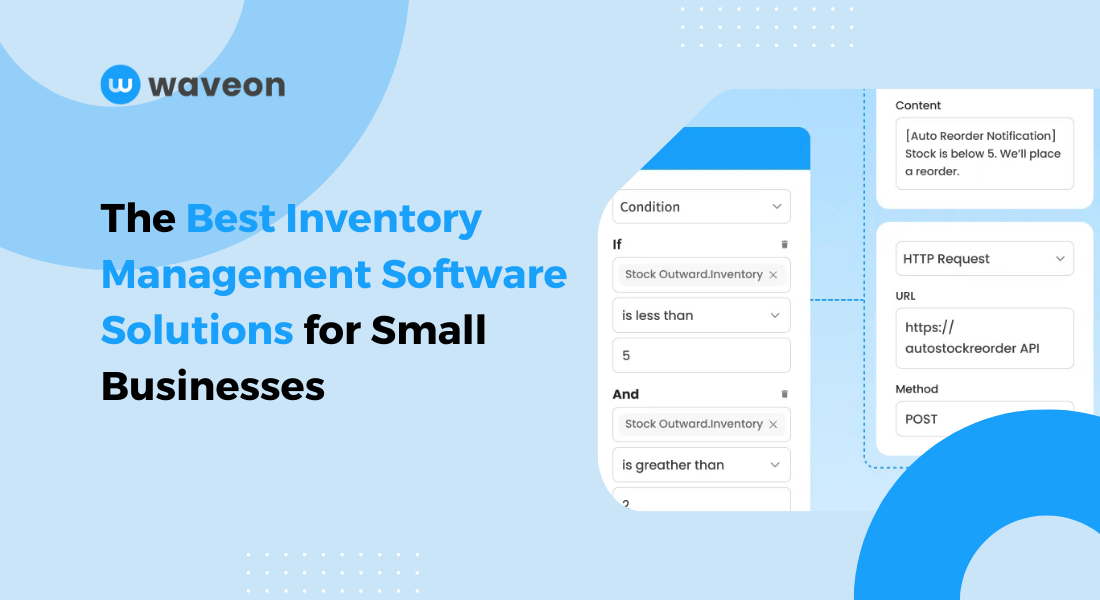
Managing your business inventory shouldn't feel like an uphill struggle, yet, that is the case for many businesses. Whether you're a startup trying to keep pace or an ecommerce brand scaling up, obsolete systems and endless spreadsheets can hinder your operational efficiency.
Manual processes often involve human error, causing 30%-50% of inventory inaccuracies. And, failing to track your inventory effectively affects 62% of business finances. It often results in missed sales opportunities (due to understocking) or higher ordering and maintenance costs (overstocking).
The truth is: This kind of loss can be a hard pill to swallow when every business dollar counts. But the good news is that the solution to efficient inventory management is at your fingertips.
We have listed and reviewed the best inventory management software solutions for startups and SMEs. Read on to find the one that perfectly fits your business needs.
The Benefits of Using Inventory Management Software
Inventory management software solutions can help you track stocks efficiently, reduce costs, and boost the overall operational efficiency of your business. These tools equip you to meet your customer demands without overstocking.
Here are the key benefits of using powerful inventory management solutions:
Reduced errors: By automating your inventory tracking, the software helps you reduce human errors prevalent in manual data entry. It ensures your stock level data is up-to-date at all times.
Optimized supply chain management: Automating reordering and supplier integration ensures proper stocking, streamlined lead times, and better supply chain efficiency.
Improved business efficiency: When you automate repetitive tasks, you free up resources and redirect them to higher-value activities. This improves your team’s efficiency.
Improved customer service: Accurate inventory data ensures your products are available to customers without delays and backorders.
Reduced costs: Better inventory tracking and forecasting help you maintain optimal stock levels, reducing storage and overhead costs.
Scalability: Inventory management software tools are designed to scale with your business. You can upgrade to higher-value plans to meet your needs for increased product lines and transaction volumes.
How to Choose the Right Inventory Management Tool for Your Business
You should not rely on guesswork when choosing inventory management software for your business. Instead, base your decision on careful evaluation of your unique needs, budget, and growth plans. Compare them with the features and pricing models offered by various tools.
Here are the key steps for choosing the right inventory management tool for your business:
Identify your specific business needs and challenges. For example, if your business deals with perishable goods, you should choose an inventory management system with batch and expiry date tracking features. This will help you sell products using the first-in-first-out (FIFO) approach to minimize losses.
Likewise, if your business has warehouses in different locations, you need a tool that provides real-time updates of multi-location stocks.
Analyze different systems for their features, scalability, ease of integration, and support. You can also review case studies and testimonials to gauge their effectiveness.
Experiment with demos or free trials to understand the system's usability and whether or not it matches your inventory management workflow. This reduces your risk of investing your resources in the wrong tool.
Strike a balance between affordability and software quality, and choose one that best suits your needs without having you break the bank.
If you need a simpler way to track stock and manage purchase orders without committing to a full ERP, Review your inventory and order workflow →.
How to Choose Inventory Management Software for a Small Business
The best inventory management software for a small business is not always the tool with the longest feature list. A small team usually needs a system that is simple enough to adopt quickly, but structured enough to keep stock, orders, purchasing, and fulfillment in sync as order volume grows.
Before comparing vendors, map the workflow the software must support:
| Selection area | What to check | Why it matters for SMBs |
|---|---|---|
| Stock visibility | Real-time quantities by item, warehouse, location, or sales channel | Prevents overselling and late shortage discovery |
| Order connection | Whether sales orders automatically reserve or deduct inventory | Turns inventory software into practical inventory and order management software |
| Purchasing workflow | Reorder points, supplier data, purchase orders, receiving, and lead times | Helps teams replenish before stockouts happen |
| Ease of operation | Simple screens, role-based access, templates, and low setup overhead | Matters when there is no dedicated operations or IT team |
| Reporting | Slow-moving stock, stockout risk, turnover, and order fulfillment status | Shows where cash is tied up and which items need action |
| Scalability | Support for multiple warehouses, approval flows, and integrations | Prevents a second migration when the business grows |
If you only need a lightweight stock list, a simple inventory management system may be enough. If orders, purchasing, and warehouse work already affect each other every day, choose software that connects those workflows instead of treating inventory as a standalone spreadsheet replacement.
Top Inventory Management Software Solutions Compared
With the many inventory management software options promising positive results and unique features, you may be bogged down by analysis paralysis. To help you decide on the best fit, we've compiled a list of the top 10 solutions with their key features and pricing details.
1. StackCube B2B order operations system
StackCube is a modular inventory and order operations system that helps you with stock tracking, supply chain network management, and order management. It allows you to track your inventory across locations in real time and also automate product reordering based on specific conditions.
Its lightweight templates personalized for various industries and use cases let you start using it with ease. Check out its order management template, for instance.
Key features
It offers industry-specific inventory management templates with essential features that you can easily customize according to your business needs.
You can add and set up custom fields unique to your industry. Here is an example of how this works:
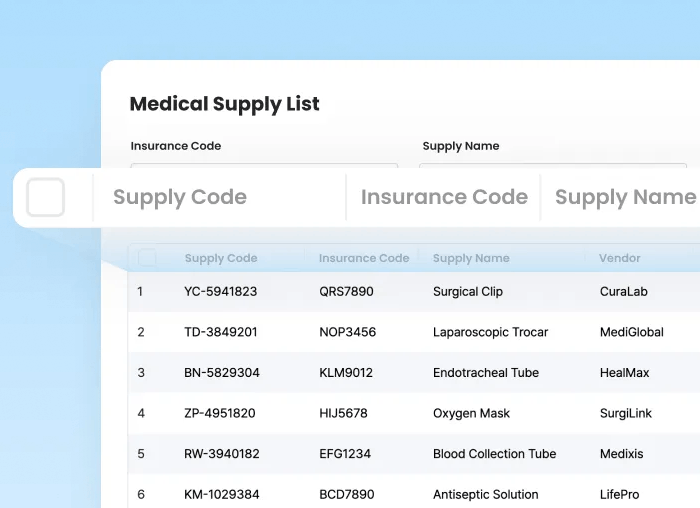
You can effortlessly manage custom items like product bundles and expiration dates.
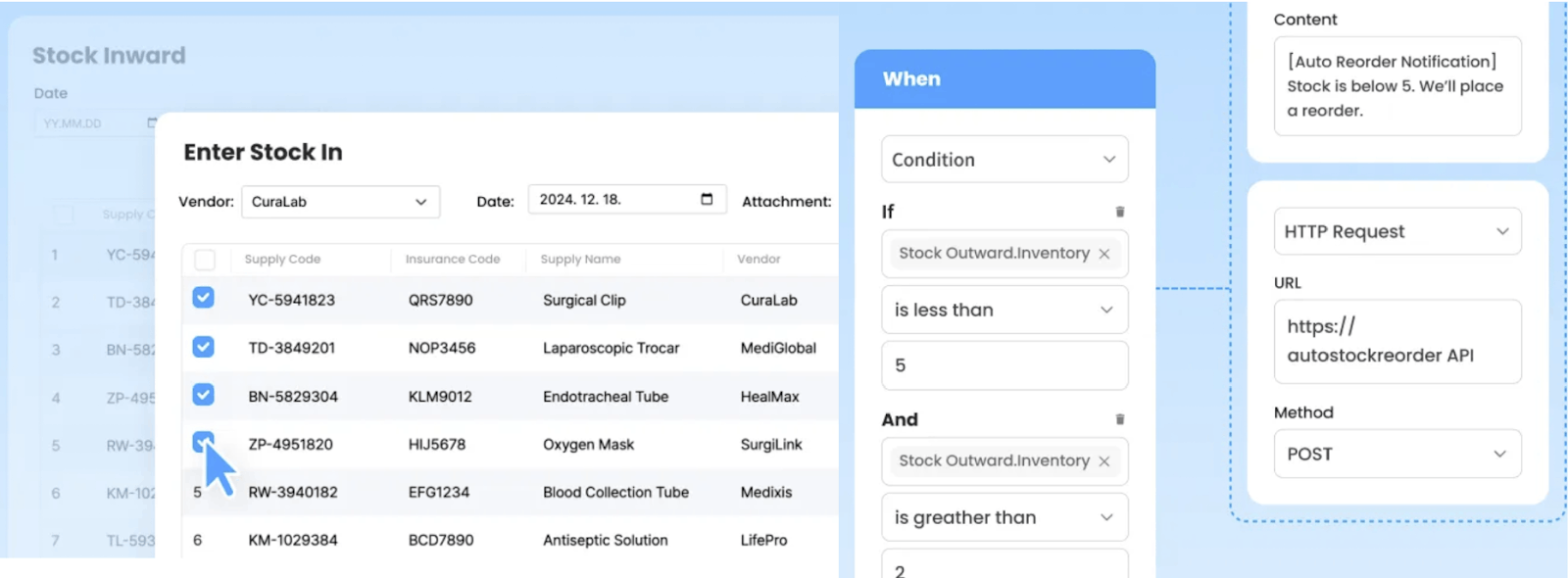
Automate tedious and repetitive tasks, allowing you to redirect your saved resources elsewhere. For example, StackCube’s inventory management software lets you automate stock quantity calculation and re-ordering based on your added safety stock conditions.
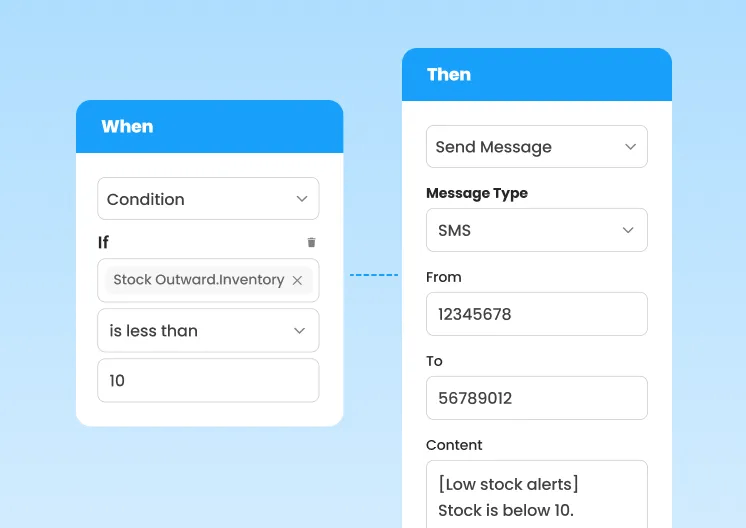
You can also set notification alerts for low stocks or other inventory changes to get real-time updates.
Handling bulky data can be challenging as your business expands. But with the StackCube software, you can upload bulky inventory data to the software via CSV files and also export your inventory-managed data to CSV files anytime. Get refined data to make informed decisions.
StackCube offers a free plan for beginners. Its paid plans start from $29/month.
👉 Review your inventory and order workflow →
👉 Discover more about StackCube order management template
👉 Read customer case studies
2. Zoho Inventory
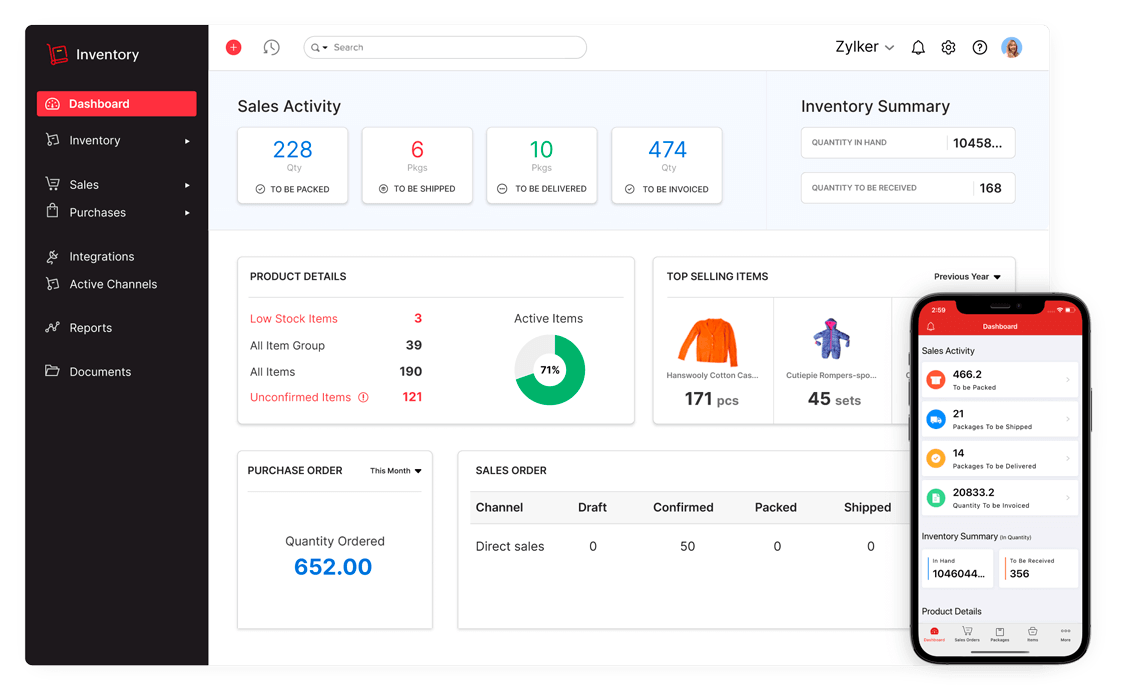
Zoho Inventory is an inventory management software solution designed to create bundles with special pricing, track your products with serial numbers, and easily create product price lists.
What's more? It lets you generate and scan barcodes to improve accuracy and record stock adjustments to harmonize your stock quantity.
Key features
Its item management feature lets you group, customize, oversee, and track your inventory from one application.
You can easily adjust item quantities when there is a mismatch between the recorded and actual stock.
It lets you assign distinct serial numbers to every product, enabling individual product tracking.
Its vendor management feature allows you to create price lists, maintain purchase order history, and generate a backorder.
Zoho’s starting price is $26/month with a 14-day free trial. You can also purchase add-ons for an additional order, warehouse, or user management.
3. Katana
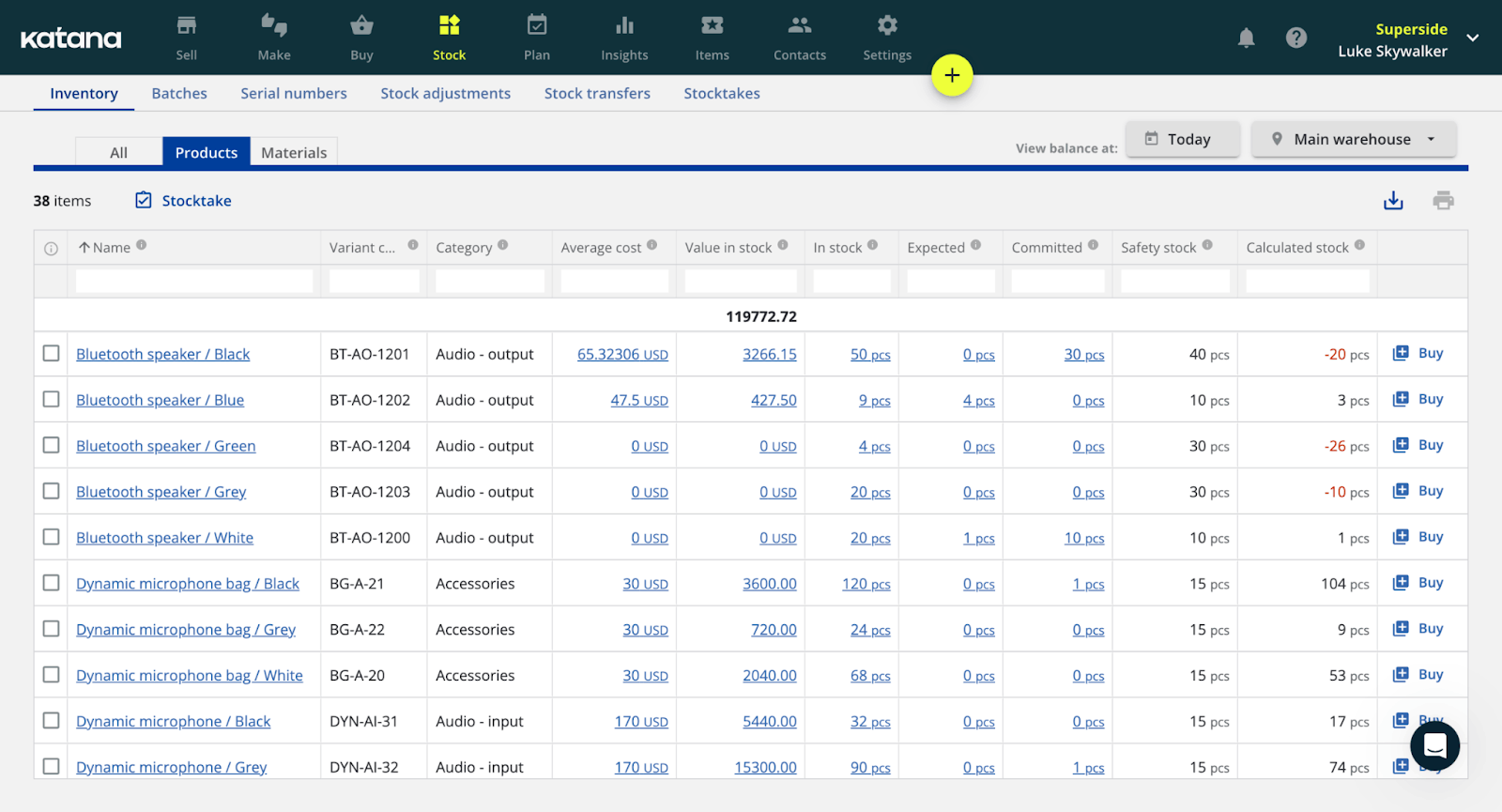
Katana is a cloud-based inventory software that helps you track inventory with serial numbers and batches, set up product reorder points, and facilitate inventory transfer across warehouses.
With this software, there will always be enough stocks for seamless order fulfillment.
Features
Track your inventory with serial numbers, batches, and expiry dates for precise stock identification and recall preparedness.
Updates live inventory visibility from raw materials to finished goods, ensuring your business has the optimal inventory.
Set up material and product reorder points to ensure uninterrupted availability and prevent stock-outs.
Shortens lead time, improving your delivery times and customer satisfaction.
Katana’s starting price is $199/month. It offers a 14-day free trial.
4. Fishbowl Inventory
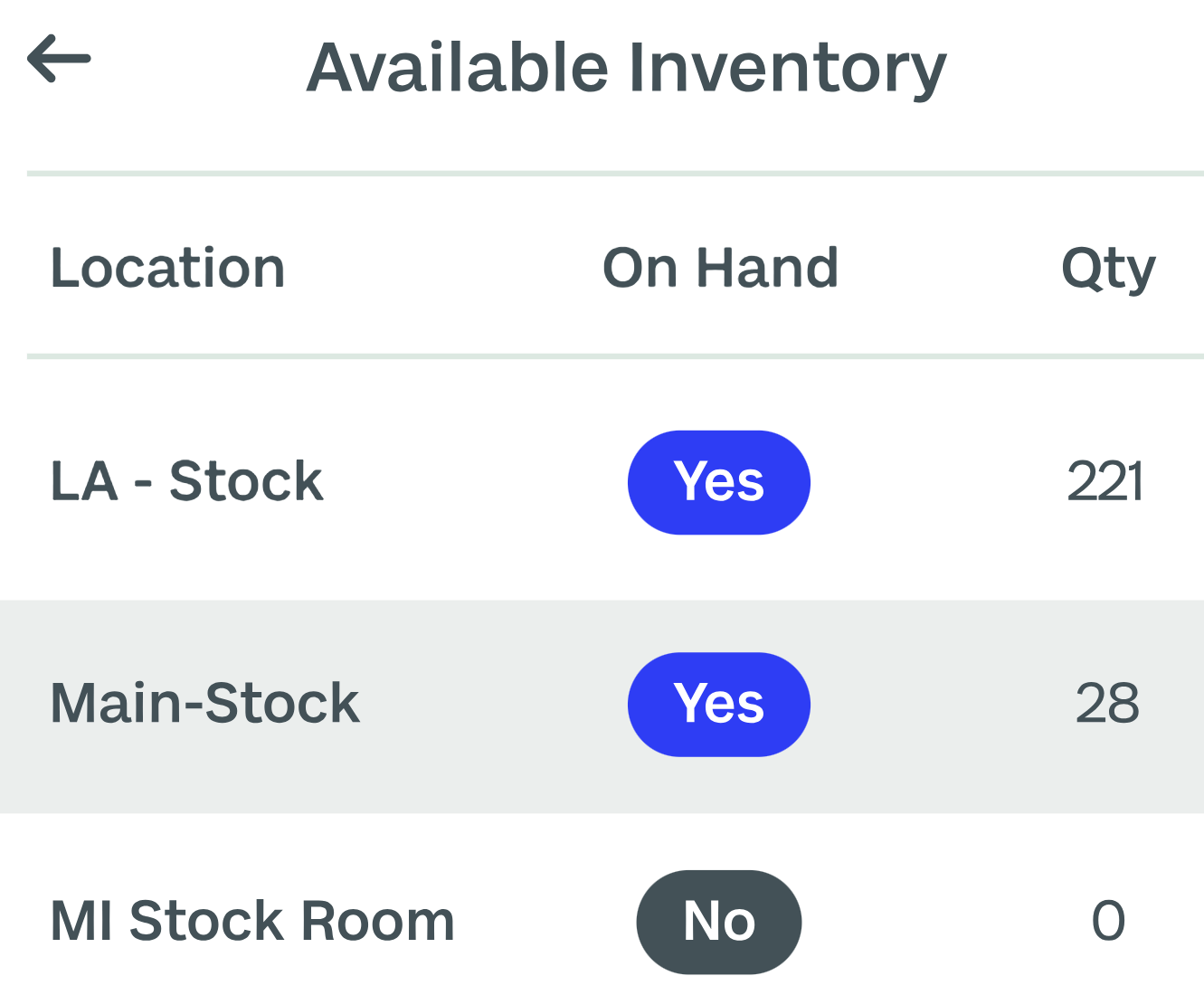
Fishbowl Inventory is an inventory management software solution that gives real-time visibility of your inventory. It helps you manage stocks at multiple warehouse locations. Its Athena AI helps you find, customize, and share essential inventory reports and dashboards on the go.
Key features
Track items most important to your business by quantity, weight, expiration date, and lot number.
The software's traceability feature allows you to analyze your product’s lifecycle, from purchasing raw materials to production and delivery.
Track stock location, product movement, selling, packaging, and shipping details.
Though Fishbowl doesn’t publicly display its pricing plans, you can still request the price by filling out their demo or quote request form.
5. Ordoro
Ordoro is an inventory management solution that promises to automate and shrink inventory waste while boosting overall business productivity. It displays accurate inventory levels across channels and tracks supplier lead times.
It also has an open API for platform-agnostic integration, allowing your business to seamlessly integrate the software into your existing system.
Key features
Rich inventory control feature that helps you display correct inventory amounts across channels, automate low-cost alerts, and auto-sync your stock levels across channels.
Visibility and control feature that lets you track your suppliers’ lead time, generate reports, and manage orders.
Productivity booster that allows you to handle bulky inventory uploads, automate order tagging, and manage order routing and splitting.
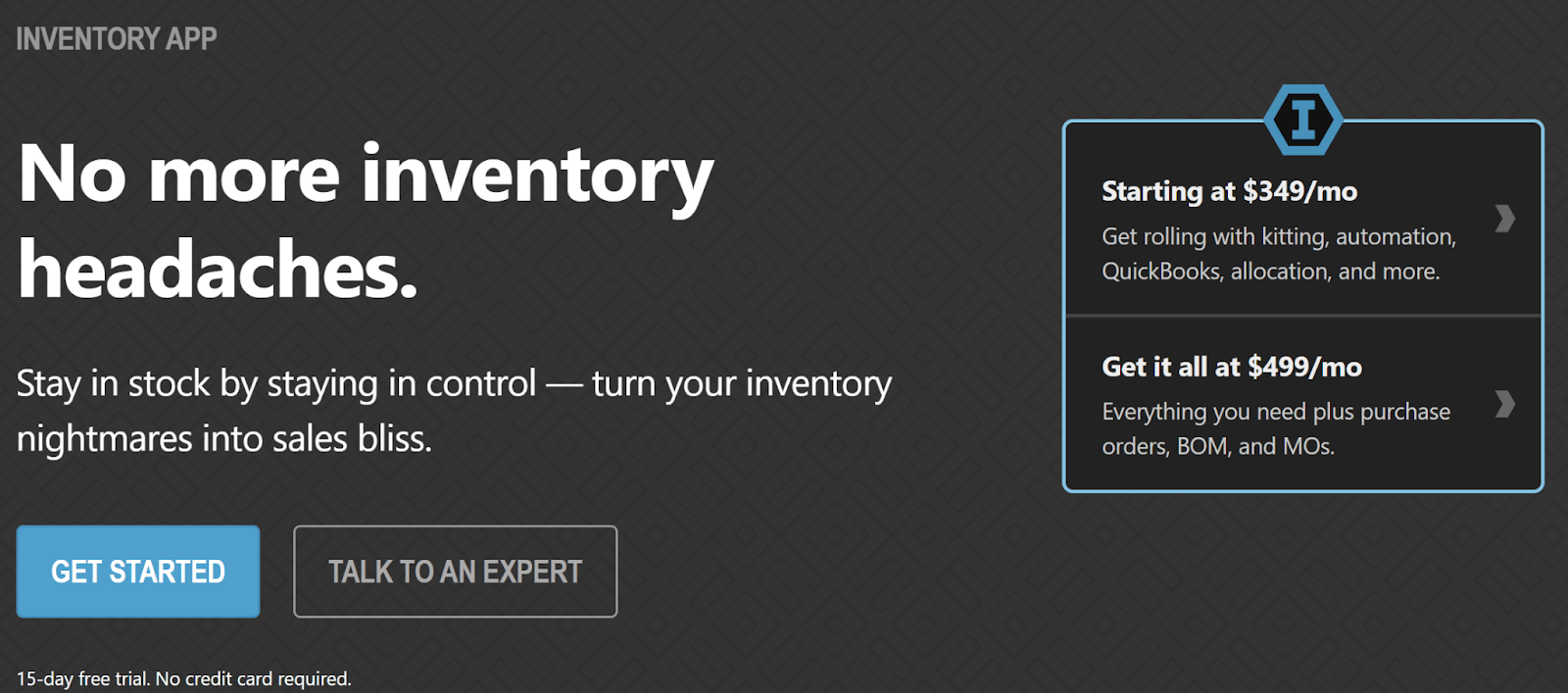
Ordoro's inventory management pricing starts at $349/month. You also get a 15-day free trial with no credit card required to sign up.
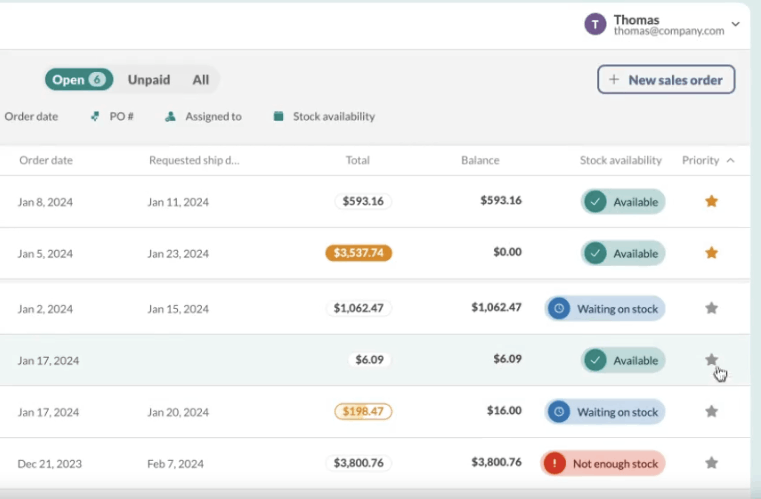
6. inFlow Inventory
inFlow Inventory is an inventory software designed for wholesale, ecommerce, and field service users struggling to monitor their stocks. It helps filter orders by what is due, track the cost of each purchase, and generate reorder points and notifications.
You can also use it to generate barcodes or QR code labels.
Key features
It tracks and displays your current stock across locations.
You can filter orders depending on inventory type, what’s due, and what you can fulfill now.
It lets you create professional barcode labels.
It tracks the cost for each purchase and your profit for each sale.
inFlow’s starting pricing is $186/month. It offers a 14-day trial and you can sign up without adding your credit card details.
7. Cin7
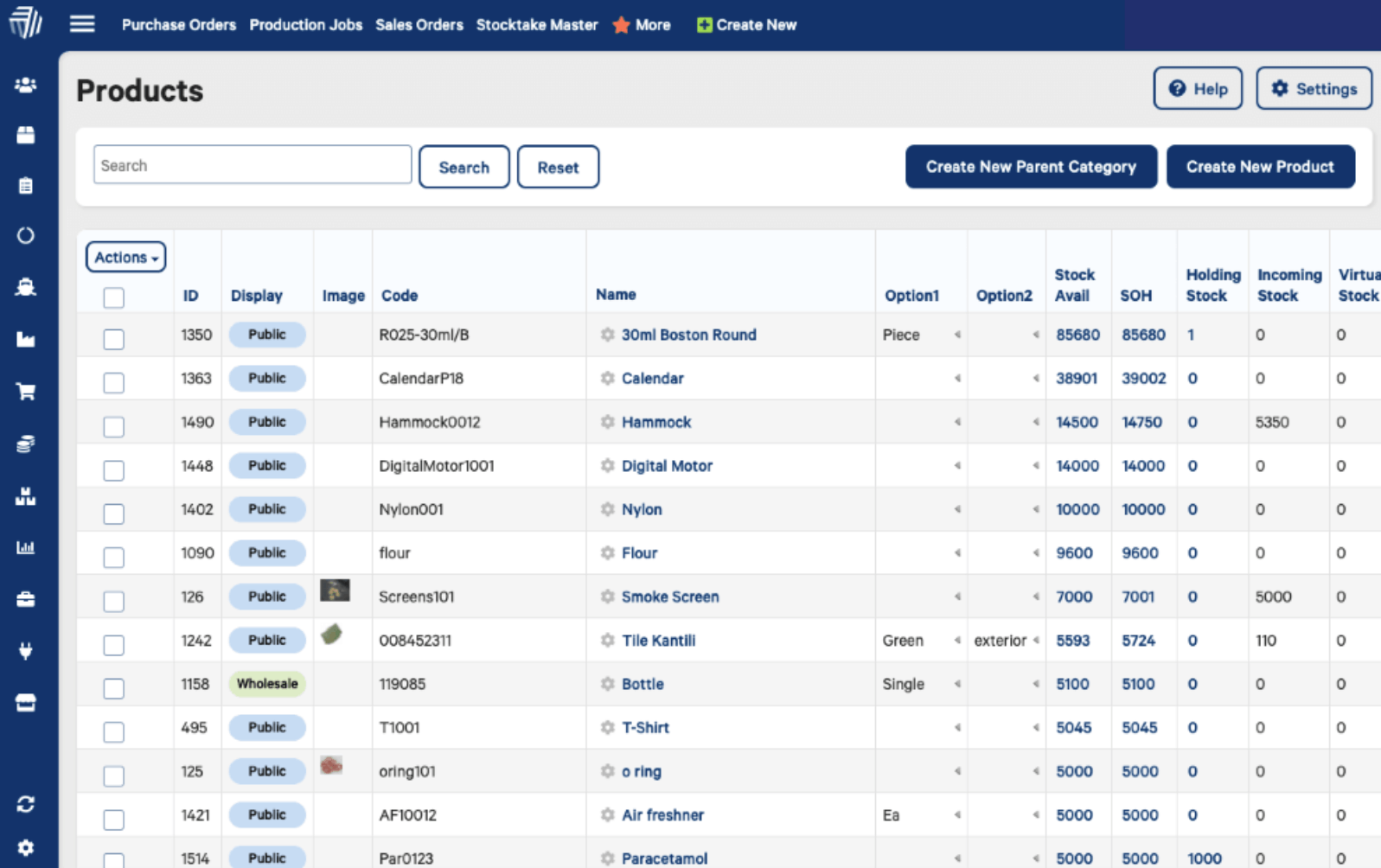
Cin7 is an inventory software management solution that promises to give first-time IMS buyers a solid foundation to scale up their systems. It offers features such as automated workflows, precise reporting, and real-time inventory visibility.
You can connect with your suppliers, warehouses, and sales channels 一 all from a single system. This lets you handle all your orders smoothly and reorder stocks precisely.
Key features
It allows you to integrate new channels, add warehouses, widen your product line, and seamlessly handle your stock tracking needs as your business expands.
You can manage your purchase orders, storage, and multi-channel sales in real time and from one place.
It automatically updates your inventory details, tracks transfers across retail locations, and improves stock control.
It helps you get actual stock and reordering alerts to refine your inventory management.
Cin7’s starting price is $349/month. It also has a free 14-day trial.
8. Sortly
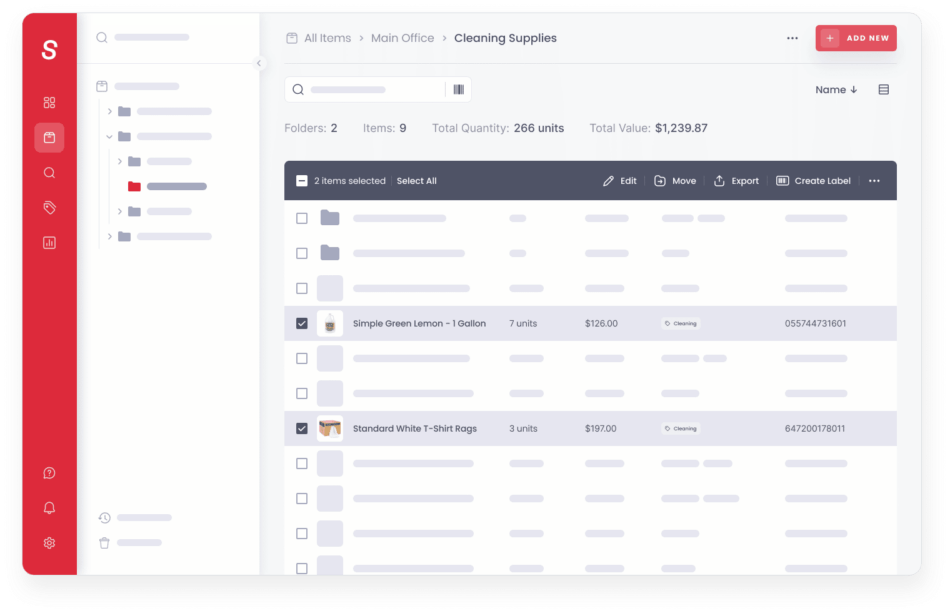
Sortly is a simple inventory management software tool designed for small businesses to manage supplies, tools, materials, and equipment. Its real-time reporting is ideal for inventory auditing, budgeting, and forecasting.
You can easily export custom reports. Besides, its intuitive interface lets you easily collaborate with your team and clients.
Key features
Automate and organize your inventory by location and type and use custom fields to add important details.
Generate CSV or PDF real-time reports on items, folders, and user histories.
Automatically sync your inventory across devices and teams.
Sortly's starting price is $49/month, and it offers a 14-day free trial.
9. Lightspeed
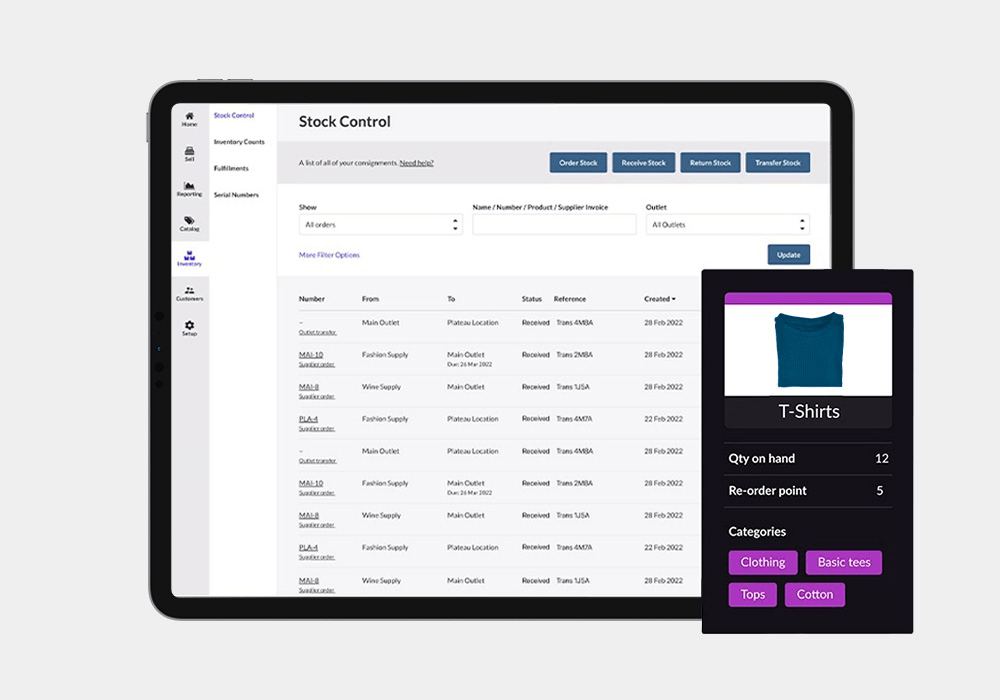
Lightspeed is an inventory-tracking system for retailers looking to speed up their ordering process. It helps you capitalize on inventory counting tools and use a B2B catalog to sync products to their POS.
By adding pre-loaded product information from suppliers to your catalog, you save time and maintain accurate product data.
Key features
Create product variants to manage them based on their color, size, and materials used.
Its B2B catalog allows you access to various products synced to your POS.
You can tag your inventory across locations with distinctive serial numbers.
It helps you seamlessly manage discounts and promotions, make bulk pricing changes, and use price books to offer loyalty rewards.
Lightspeed's starting price is $109/month. It also has a 14-day free trial with unlimited access to all its features.
10. Finale Inventory
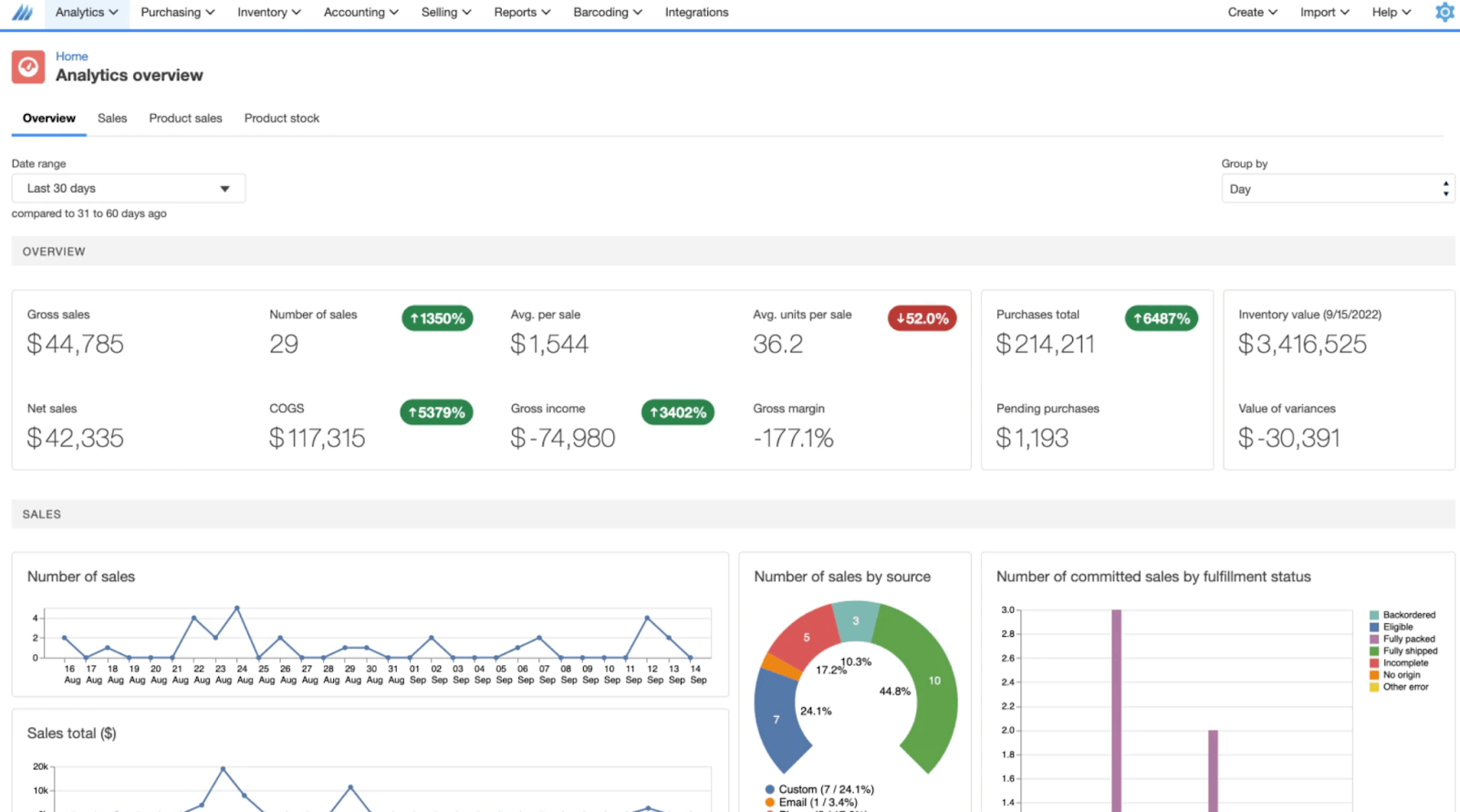
Finale inventory management software solution promises to solve the challenges of inventory oversold, broken workflows, and inefficient warehouse operations. It also supports omnichannel business workflows for your FBA, Amazon, Shopify, or Walmart sales channels.
You can track revenue through different sales channels and trending products, which helps you analyze and improve profitability over time.
Key features
Sync your inventory purchase costs, sales orders, and stock levels with customizable reports.
Beyond issuing the FBA transfer order, Finale Inventory helps your warehouse team efficiently pick, pack, and ship your product inventory to Amazon fulfillment centers.
Generate predictive analysis and automated alerts to lower your inventory oversold.
Its kitting and bundling feature helps improve your sales orders and scale operations.
Finale Inventory's starting price is $99/month. You can’t try it for free.
Ace Inventory Management with StackCube
Are you tired of manually managing your stocks, orders, and inventory analytics? Our cloud-based inventory and order operations system gives you complete control over your inventory with real-time analytics.
Imagine freeing up the time you spend on repetitive tasks like stock tracking and reordering. Our intuitive platform will do the heavy lifting so you can focus on strategizing for your business growth. Beyond inventory tracking, StackCube also offers templates for order management, distributor management, and BOM management — all on one platform.
Say goodbye to tangled spreadsheets and boundless training sessions with the StackCube inventory management system. Ready to feel the difference?
Review your inventory and order workflow →
🔗 Related Articles You May Find Useful