ERP Inventory Management: Orders and Stock Guide
Learn how ERP inventory management connects stock tracking, purchase orders, customer orders, warehouse movement, and reporting for growing SMBs.
Are you still managing your inventory with spreadsheets? It is costing you more than you think! You are losing valuable time, data accuracy, and profits.
Manual tracking often leads to stock discrepancies, fulfillment delays, and missed revenue opportunities. Whereas, upgrading to an ERP inventory management system can offer multiple advantages, including:
Real-time data accuracy: No more errors or duplicate entries from outdated spreadsheets.
Streamlined operations: Automate stock updates, orders, and reporting.
Better financial control: Reduce waste, optimize stock purchasing, and boost cash flow.
It is high time you ditch the inefficiencies and take control of your inventory with a smarter, scalable ERP solution.
Still not convinced? Here is your complete guide to ERP inventory management 一 what it is, its benefits, key features, and how to use it to your advantage. Read on.
What is an ERP Inventory Management System?
An enterprise resource planning (ERP) inventory management system is a software solution that helps businesses manage their inventory in real time. This includes streamlining stock purchasing, warehousing, inventory tracking, reordering, and sales forecasting.
ERP Inventory Management Module: What It Connects
An ERP inventory management module should not only list stock quantities. Its value comes from connecting inventory records with purchasing, sales orders, warehouse movement, accounting, and management reporting.
| ERP inventory area | What it connects | Why it matters |
|---|---|---|
| Item master | SKU, category, unit, supplier, cost, and selling rules | Keeps teams from creating duplicate or inconsistent items |
| Purchasing | Purchase orders, inbound stock, lead times, and receiving | Shows what is available now and what is arriving soon |
| Sales orders | Customer orders, reserved stock, fulfillment status, and backorders | Prevents overselling and missed order updates |
| Warehouse movement | Transfers, adjustments, cycle counts, and locations | Explains why system stock differs from physical stock |
| Finance | Inventory value, cost of goods sold, invoice status, and margins | Connects stock decisions to cash flow and reporting |
If these workflows are still handled in separate spreadsheets, an ERP inventory system may be useful. But for a smaller team, it can also be enough to start by connecting orders, stock, and purchasing before rolling out a full ERP suite.
The Benefits of Using an ERP for Inventory Management
ERP solutions offer centralized data management to ensure transparency and improve inventory management. With the right solution, you get:
Real-time, accurate inventory data to help you make informed decisions
Reduced human errors, which improves operational efficiency and business finances
Data-driven inventory forecasting that prevents overstocking and understocking, reduces excess inventory, and eliminates dead stock losses
Demand forecasting based on historical sales patterns analysis to ensure you maintain optimal stock levels for peak times
Storage management and stock transfers
Payment gateway capabilities
Cost efficiency
Fast implementation
Flexibility and scalability
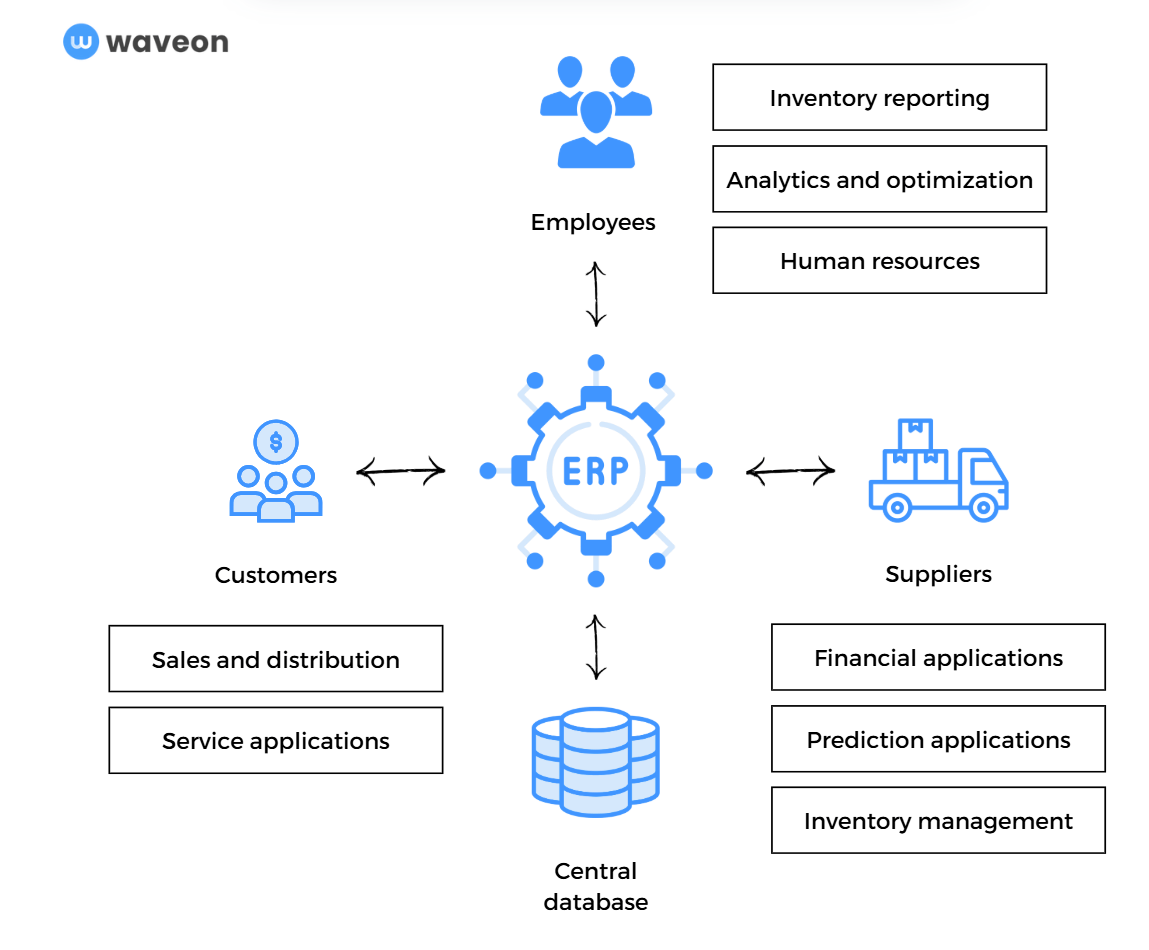
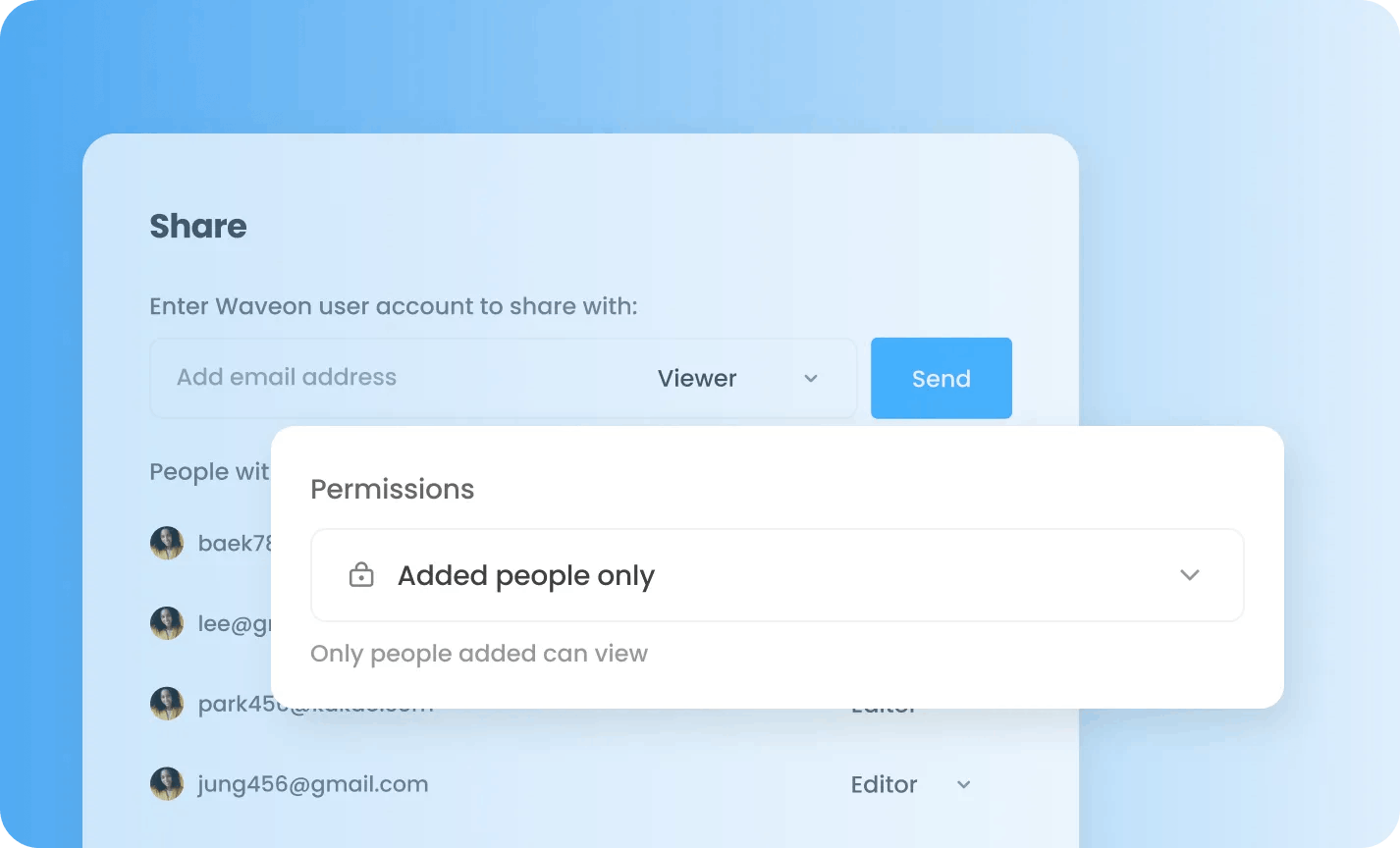
ERPs connect your teams, customers, and suppliers by giving them a centralized hub of information with role-based access.
The Key Features to Look for in an ERP Inventory Management System
If you want to upgrade to a modern ERP solution, here are the key features you should look for:
1. Stock Tracking and Management
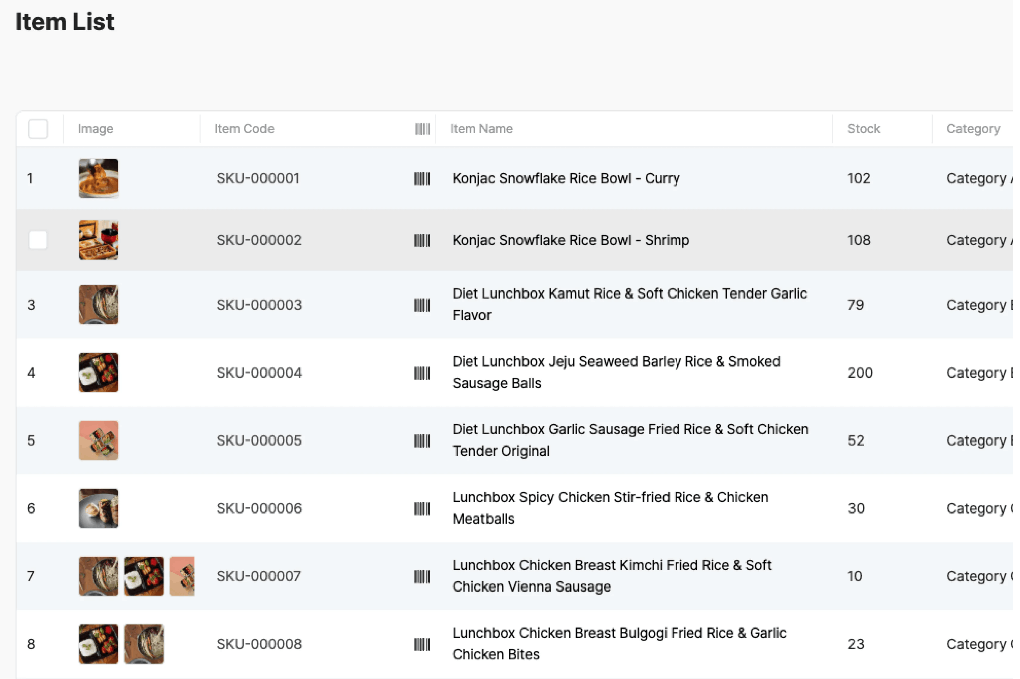
The ERP solution should let you track stock levels in real time, including available inventory, incoming shipments, and stock movement across different locations. It will provide you with better visibility of your inventory and help you avoid overstocking and stockouts, both of which can be costly.
StackCube, for instance, has a single dashboard for inventory tracking and sorting it by name, item code, category, or stock available. It offers a pre-built workflow for tracking inventory, item codes, categories, and available stock, making stock tracking easier to manage.
2. Sales and Purchase Order Management
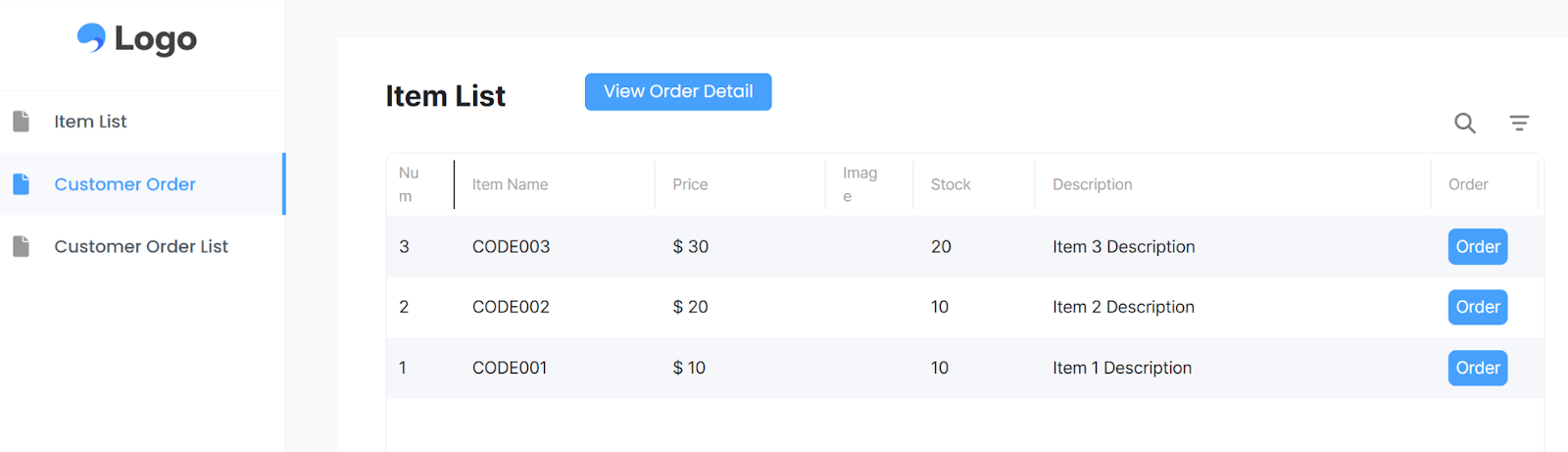
A strong ERP system should let you create, track, and manage orders effortlessly, ensuring customers receive products on time. Choose a tool that covers the entire order product lifecycle, from purchase to delivery, and gives you and the customers visibility on their order status at all times.
Using a modular operations system builder like ours is easy to set up. It lets you track customer orders without signing up or creating an account.
Check out how StackCube supports B2B order workflows to get started.
3. Distributor Management
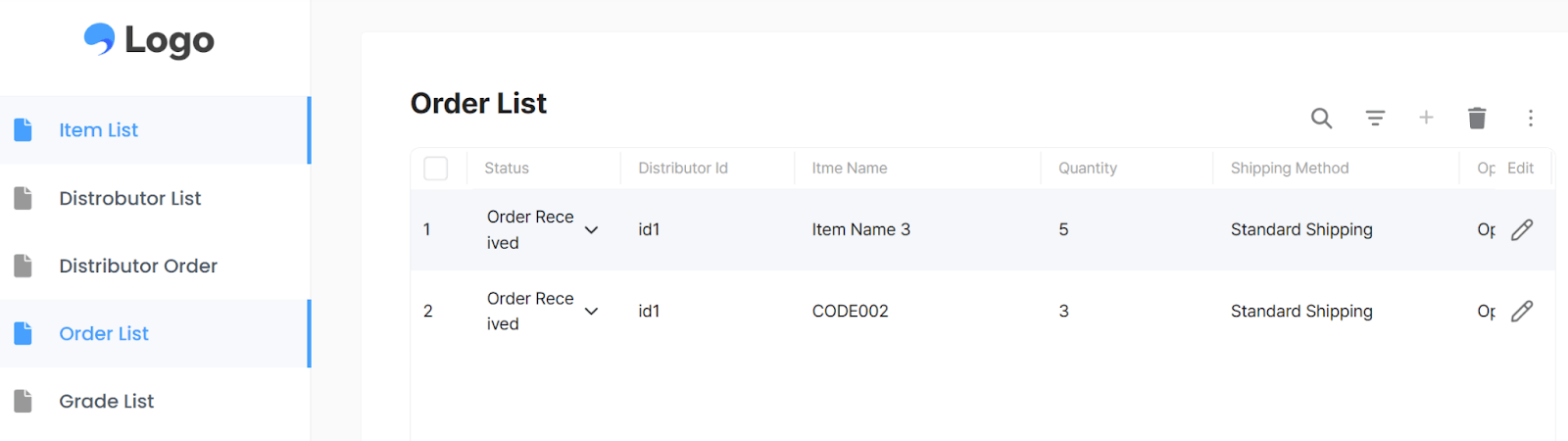
If you work with multiple suppliers, your ERP should provide tools to track shipments, manage relationships, and ensure smooth deliveries. It should also let you set distributor-specific pricing and order limits.
StackCube's distributor order workflow lets you do exactly that. You can set up custom pricing for different distributor tiers and run an automated workflow to update supplier orders, without hassle.
If you are looking for a lightweight way to manage distributor orders, pricing tiers, and inventory without deploying a full ERP, StackCube was built for exactly that workflow.
4. Multi-Channel Order Fulfillment
If you sell products through multiple channels, not just your website, look for an ERP solution that syncs inventory and orders across channels. It should enable you to route orders to the most relevant warehouses for a quick and seamless delivery experience.
5. Process Automation
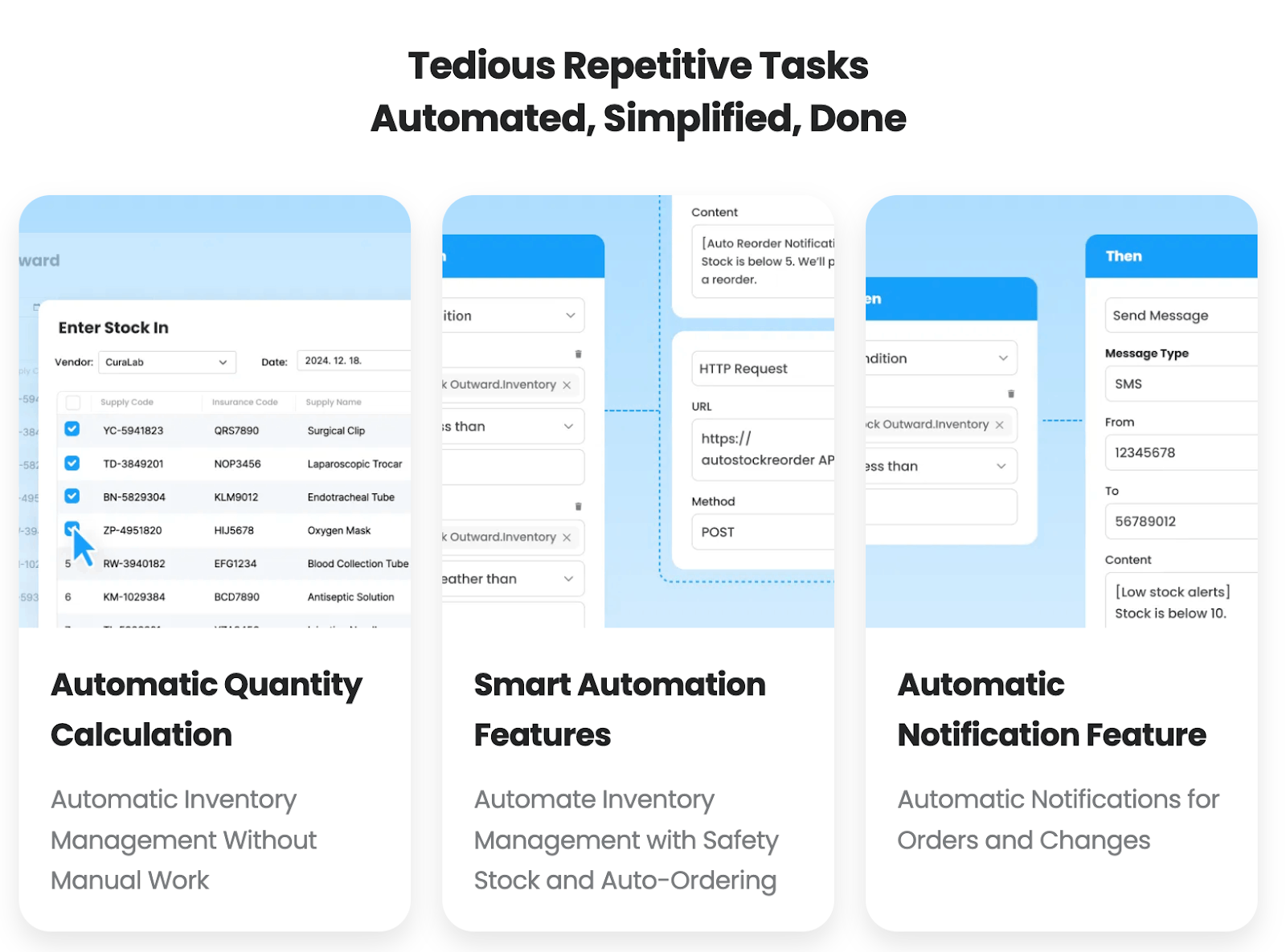
Repetitive, manual inventory management tasks can slow down the process. Using an ERP tool that automates stock reordering, inventory level tracking, and low-stock alerts can help you save time and prevent errors.
StackCube, for example, offers advanced automation capabilities to help you simplify and streamline repetitive tasks.
 See how StackCube supports inventory operations →
6. Integrations with Ecommerce, Accounting, and CRM Tools
No matter how great your ERP solution is, it can’t work in a silo. So, pick a tool that seamlessly integrates with your current tech stack, including ecommerce platforms, accounting software, and CRM systems.
7. Inventory Intelligence Reports and Analytics
Data-driven decision-making is the foundation for every successful business. Ensure you invest in a tool that provides in-depth analytics and reporting features.
Look for tools that can identify and analyze trends to accurately predict customer demand, sales, and the required inventory levels.
8. Centralized Dashboard for Management
A modern ERP should be enable you to manage various processes, such as purchasing, warehousing, stock tracking, and distribution, from a single dashboard. A centralized system reduces errors and saves time by eliminating the need to switch between platforms. This not only improves efficiency but also saves money.
9. Compliance and Risk Management
Lastly, choose a modular operations system solution that offers built-in compliance tools for industry regulations, tax requirements, and safety standards. Also, ensure they are in compliance with the latest security measures to protect your company’s data.
ERP inventory management solutions like StackCube also let you give role-based access to users and set approval processes for making changes.
 See how StackCube supports inventory operations →
Is ERP a Must-Have for Efficient Inventory Management?
Managing inventory manually or with outdated tools can slow your business down and lead to costly mistakes. That’s why you should use a modern, modular operations system solution to track stock, streamline orders, and automate repetitive tasks.
Ready to upgrade your inventory management? StackCube’s modular operations system builder makes it easy to customize and automate your processes without any coding. Try StackCube today and take full control of your inventory with an ERP solution that grows with your business.